Showing posts with label firefox. Show all posts

2 April 2024

Google to destroy data colleced in incongnito mode after lawsuit

After settling a lawsuit, Google will destroy tracking information it collected on websites containing google tracking (analytics) or advertising info for users browsing in incognito mode.

It only collected information if

  • users had a google account, even if the were not logged into it
  • users were not using firefox, which has better privacy

Data will be deleted on about 136 million users.

Separte from the lawsuit, Google is also phasing out usage of third party cookies in Chrome. Currently you can configure chrome to block third pary cookies, it just is not the default as it is in Firefox and Safari.

More...

10 May 2022


28 January 2021

Google Slides: HOWTO restrict your mouse-drag selection

When selection items by dragging the mouse in google slides, you select all elements that are partially within the area you selected.

If you do the same in PowerPoint you only select elements that are completely in the selected area.

The Google Presentations behaviour is undesired. Typically you want to move some smaller objects, but you will always select the main text area of your slide as well.

How to make Google Slides behave like PowerPoint? Use this not so well documented feature: hold ALT while dragging the mouse.

Firefox users: unfortunately ALT is used to hide/show the firefox menu bar, so you get this as an annoying side effect. To disable the ALT behaviour on Firefox, follow these guidelines.

9 January 2020

Firefox 72: get rid of push notification popups

In Firefox 72 you can now avoid random websites asking to send you notifications. Automatically say no in options> privacy and security, scroll down to notifications and click settings...
Then:


Additionally Firefox has enhanced security by making fingerprinting more difficult.

Developer features:

  • debugger watchpoints: breakpoints on property changes.
  • experimental CSS motion path feauture: an easier way to animate than transform.

22 September 2013

Firefox on windows 64 bit : use the 32 bit plugins

When installing the java plugin on windows 64 bit (I have windows 7), which Java plugin do I need?
64 bit seems the logical choice.
Here's what Oracle, steward of Java says at this time:

Java for 64-bit browsers
Users should download 64-bit Java software, if they are running 64-bit browsers.
Allright, now do I have a 64 bit firefox, the page tells me how to check

Verify if you are using 32-bit or 64-bit browser


Firefox
To determine whether you are running on a 64-bit version of Firefox, use either of these methods.
  • Check the About Firefox panel
  • Type in the browser address about:support
If you are running 64-bit Firefox, it may be indicated as 64-bit (e.g., Win64); otherwise it is a 32-bit version of Firefox.  
 What can I find on this page?


 User Agent     Mozilla/5.0 (Windows NT 6.1; WOW64; rv:24.0) Gecko/20100101 Firefox/24.0

There's a number 64 in there, but take care: this indicates that windows is 64 bit. To really know more about your firefox you need to follow the about:buildconfig link. oracle should recommend to type that one directly. Look at the target entry:

target i686-pc-mingw32

This is a 32 bit build after all. As a matter of fact, Firefox does currrently not provides a production quality 64 bit build for Windows. On Windows, Firefox currently is a 32 bit application, hence you always take the 32 bit plugins.

20 February 2013

Firefox 19 javascript PDF viewer

Firefox doesn't use an adobe plugin anymore to show PDF. It handles them entirely in javascript, using the same pdf.js library as Chrome.
Bleeding fast and responsive.
Still young though, you might get incompatibility messages. So I'm just waiting a little before dumping the adobe plugin (with its pesky McAffee bundle) entirely.


11 May 2011

US CERT recommends disabling WebGL

HTML 5 is sometimes seen as a flash killer, because of the new <canvas> tag. <canvas> can be used to draw graphics via scripting (usually JavaScript).
Firefox 4 and Chrome 9 support 3D graphics in  <canvas> through the WebGL API. WebGL is developed by the non-profit Khronos consortium, basically consisting of everybody but Microsoft.
WebGL accesses your hardware driver, giving you hardware acceleration, but also exposing you to a set of vulnerabilities. US CERT now recommends disabling the feature.
To disable WebGL in Firefox, change the preferences:

  1. navigating to the special about:config URL.
  2. promise to be careful on the warning page
  3. type webgl in the filter bar
  4. toggle the webgl:disabled setting to true

6 June 2009

Firefox plugin: split browser

Allows yout to have a Norton commander like multi pane browser. Handy when you're having to work on one page with data from another page.
I'm still missing tabs in the other panes, but otherwise another great firefox plugin.
Warning: does not interact well with firebug's split screens.

3 September 2008

Google chrome

Google recently launched its own web browser: Chrome.
At first sight this is a frontal attack on Firefox and resembles Micorsoft's monopolistic behaviour.
The browser has a minimalistic non-spectacular look. Most important features seems to be speedy javascript and multithreading.
I hope this browser acts as a lab for things that can mature into Firefox, much like the hotjava browser did.
To be watched with caution.

29 July 2008

Browser plugins most popular point of attack

We could have expected it. According to a recent ISS (IBM now) X-Force study, all these nifty browser plugins, have become the biggest point of attack for hackers.
The major source of vulnerabilities is the browser:

And the most important source of vulnerabilities within the browser are plugins:

Surprisingly only exploits for internet exploder active-X plugins have been reported, while I thought the firefox plugins were the most popular.
Maybe their vulnerabilities don't get reported because most are small projects run by individual freeware contributors? There is a list with officially recommended add-ons, but these recommendations are probably more related to stability than to security.
Maybe they don't count extension exploits?

1 July 2008

Favourite Firefox extensions


Nicest thing about firefox these days are its extensions.
Internet explorer is also jumping on the bandwagon but somehow this seems to pollute the field with all kinds of nagware.
Anyway, here are some of my favourites

Filter out ads to make you pages lighter and more zen. And you can subscribe to filter sets, filtering out the common ones (I got one for belgian/dutch sites).
Lets you render firefox tabs using internet explorer (on windows), so you can browse pages that don't follow standards (e.g. Sharepoint)
Convert a web page to a pdf. Usefull if you want to send a html report page or such to someone.

  • search buttons
    • SearchWP: Convert search words in the search box into buttons that let you immediatly search in the web page you found. Great, with a drawback: you have to take care to click next to the buttons when you want to modify the searchbox.
    • Searchbox Sync: Update your search box (left top) with search terms entered on search engine pages like google etc. By the same author as SearchWP and a great match.


No need to move to the menu's or keyboard anymore,
use the mouse to command your browser.
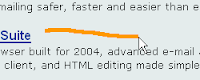

This one takes you forward in your browsing history. Press right mouse button, move left. As you see it highlights the command you draw.


This one does the same, but only by clicking. Keep left button pressed and press right. Obviously right button, then left takes you back


There's a standard set of actions and you can import your preferred actions from sets made by enthousiasts (plugins of the plugin), or add your own. I added this one from the gesture exchange site:


This mod opens my current page in a new tab. Handy when you want to "branch off" while browsing and still keep the main flow available.